


When you watch TV, and a commercial pops on it is expected that the video will fit your screen, be a reasonable resolution (most likely HD), and the audio will be clear. Television is standardized, but when you are viewing online ads, there can be a range of quality concerns. Online video quality is not standardized like television, so it can be inconsistent and sometime poor. Robert Haskitt, CMO of Extreme Reach, wrote in his iMedia Connection Blog, 4 Ways to Make Your Digital Video Ads Look Better, that “…more than 2 in 5 online video views are of inferior quality. For brands this can be a serious issue. Studies have shown that poor quality video often sparks a negative viewer response.”
We want our viewers to have the best experience and highest opinion of our product, so what do we do to help ensure this? Haskitt lays out four helpful steps to ensuring your online videos maintain their quality when it is being viewed across the Internet and on tablets, second screens, OTT, and smart TVs.
Step 1 – Start at the Source
“Go directly to the post-production house… to obtain the creative master.” You want your file to be in the native resolution – probably High Definition (HD), so 1920×1080 or 1280×720 – and to have the least compression. If your video was shot and edited in HD (which it should be… I honestly can’t think of a reason it wouldn’t be, unless it is a stylistic choice) make sure your file is HD. Do not accept SD (Standard Definition)! HD contains more than four times the visual fidelity than SD. You could get really demanding, and ask for a loss-less format (codecs) – this refers to how the video is encoded/compressed. Some loss-less (or near loss-less) codecs are Animation, ProRes 422 (HQ), and PNG. While these will give you some of the highest quality, they are also giant hogs when it comes to file size. A 60 second ad encoded in ProRes can be over 1GB! You can get a .mp4 with broadcast standards, which will still be a great looking image, and get that file size down to a couple hundred MB.
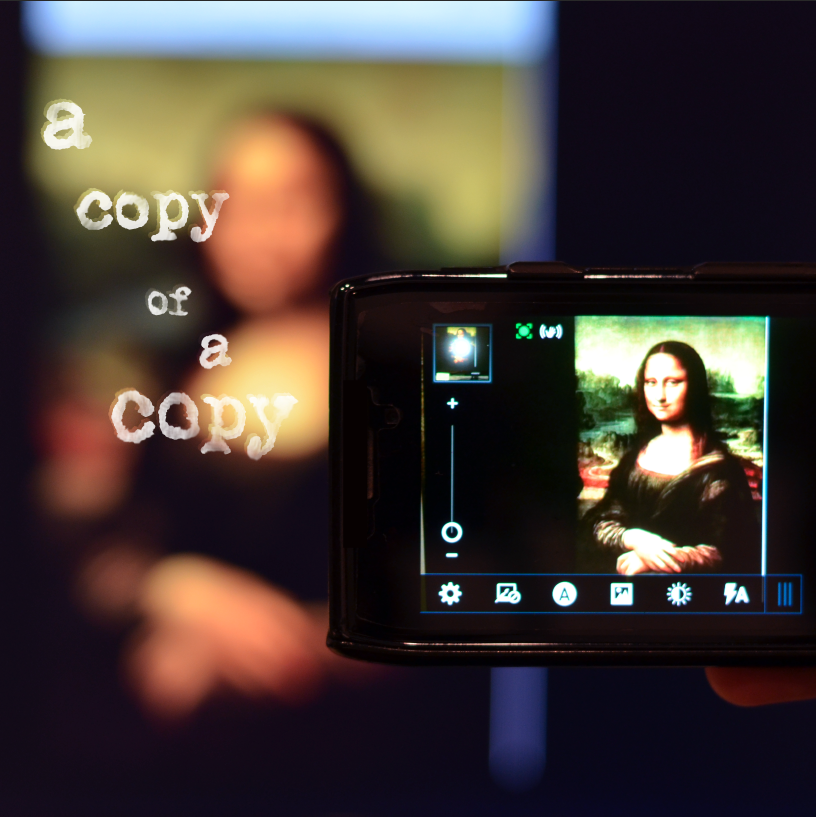
Quick side note and confessional: I wanted to make an analogy of how you lose quality when you make copies of copies. And if you are forced to start with an already lower quality of a copy, when you make copies of that copy… they are going to look very poor. This reminded of the 1996 Michael Keaton movie, Multiplicity. This forced me to spend about 15 minutes watching clips from the movie. If you have never watched this movie, do yourself a favor and check it out! When you do, just remember… you want your videos to be like Doug (Steve) NOT like Four. Okay?
Step 2 – A Full, Automated Quality Inspection
Since you now have a quality file to build from, you need to make sure that the ad server tests the playback of your video when it is uploaded. The server should test for defects in the video and audio, such as frame-rate, color levels, and clarity. This way, you have already checked that your video is meeting your standard of quality each it is served up.
Step 3 – Ad Serving Direct from the Master
Find an advanced third-party ad serving platform that will do all of the work transcoding work for you. Transcoding is the process that converts your video to a format that is appropriate for where/how your ad is being viewed. For example, the transcoded file that runs as a banner ad should be smaller than one that runs on Hulu Plus, because it will be smaller on the screen and can load faster. Make sure that this third-part ad server is using your broadcast quality master to create the transcoded versions. According to Haskitt, “This automated step eliminates the degradation that often occurs as video files get manually copied and transferred throughout the frequently disconnected digital advertising workflow.”
Step 4 – Real-Time Ad Quality Tracking
You want to be able to track where your videos are being served up, and make sure they aren’t appearing on inappropriate publisher sites or in unfavorable conditions. Search out the most advanced third-party ad serving solutions, which can track these specifics in detail and expose issues in realtime. This will allow you to quickly make adjustments to ensure your viewers are having the highest quality experience possible.
Haskitt concludes with (and I agree) “the future offers even greater quality enhancements. With the implementation of new codec standards (H.265), you should be able to increase perceived video quality even at the lowest of bitrates.” He continues to say that there will always be factors that we can’t control – like consumer’s bandwidth – but these steps are a great way to improving your audiences experiences with your online video ads.
At Transformation Marketing in Lincoln, Nebraska, we strive to put our clients’ content in front of as many potential customers as possible. But it isn’t just about “the most” people seeing an ad, it is about finding the people who are most likely to buy from our clients. If you feel like a lot of people are seeing your ads, but that isn’t converting into sales… it might be that all the wrong people are seeing your ads. Talk to us! So we can start putting your ads in front of the people who should be seeing them.