

We’ve all heard the saying that time is money and money is time.
So, how do we slow down time to make more money?
Well, as much as I’d love to have the ability to slow time down, I haven’t quite figured out how to make that happen! However, here’s what I can do – I can show you how to save some time (and hopefully, in turn, make more money) by using keyboard shortcuts! Because, at the end of the day, keyboard shortcuts are an easier and quicker way of navigating and using computer software programs.
Now, I’ll be the first to admit that I’m a little bit of a freak when it comes to multi-tasking. I love it. I love everything about it. I love having multiple things all going on at once, I love keeping busy, I love getting things done, and I love producing great things in a timely fashion. Like I said – I’m a freak! What can I say…it’s the Virgo in me! One of the ways that I save time and get things done is by using keyboard shortcuts because they help me to be the most efficient and productive worker I can be. Which means that, instead of wasting time clicking with my mouse here and there, I can leave my hands on my keyboard (for the most part) and do all I need to do…and in less time, too!
So, in an effort to help you be the best at what it is that you’re doing, I’ve compiled a list of the most useful keyboard shortcuts that I’ve found to be helpful to me…and it’s all for you! Now, before you get too excited, I need to make a disclaimer – I only use Macs so, if you’re a PC user, well…sorry. I’ll work on getting one our interns to create a PC-friendly chart, since it seems that those are the only people around here who prefer PC over Mac. ; ) 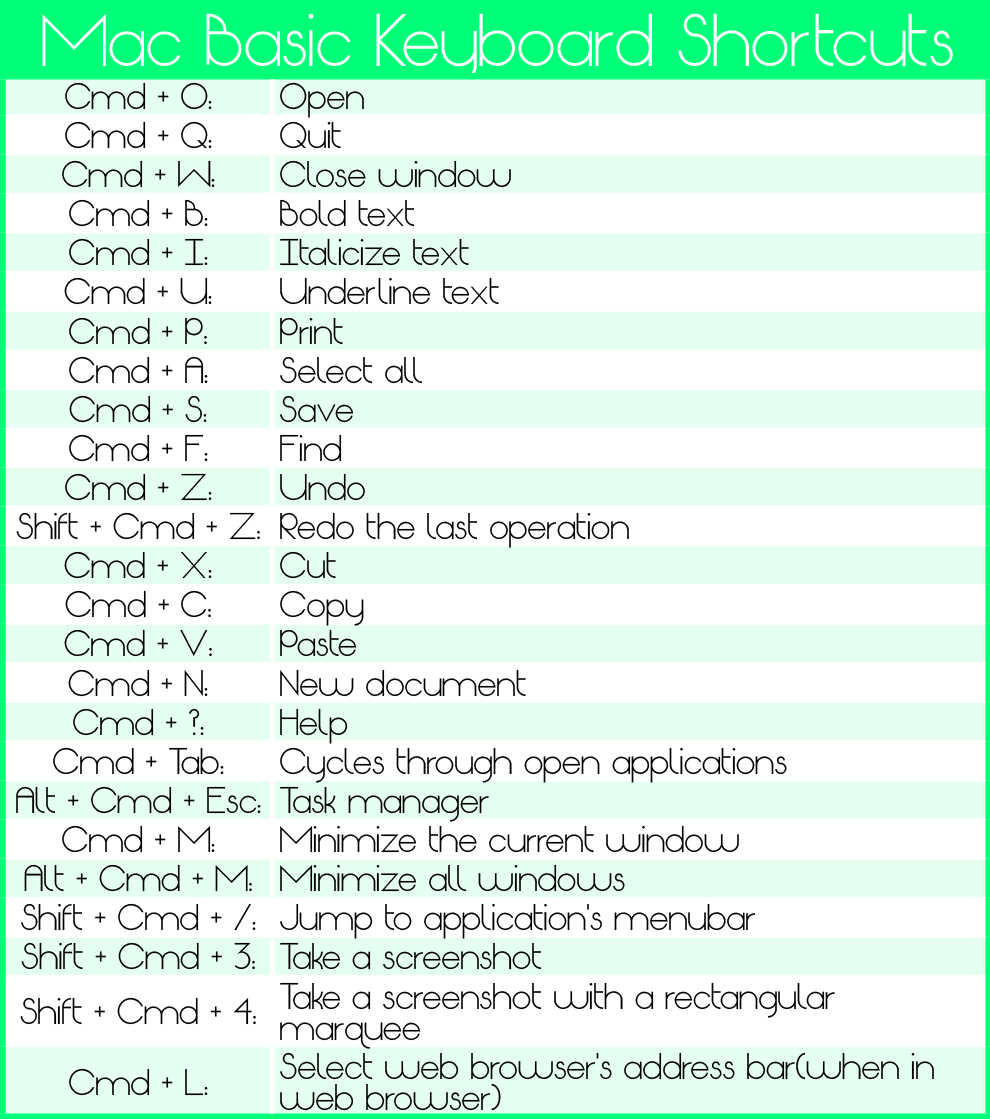
When it comes to Photoshop everything about it can – at first glance – look pretty overwhelming! However, once you’ve had a chance to work with the program, things do get easier. I promise. And, it gets a lot easier once you’ve had a chance to memorize the keyboard shortcuts and can focus more on the task at hand (whatever it may be) and stop digging through countless menus and sub-menus in an effort to find what you need.
*Note: In rows with multiple tools, repeatedly pressing the same key will toggle through the group of tools. 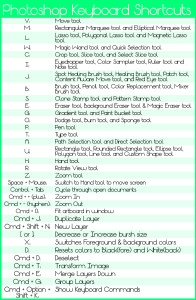
If you happen to be interested in Illustrator or InDesign shortcuts, I will be blogging about those in the future, so be on the lookout for that! And, remember, Transformation Marketing can create any of your design or marketing pieces for you if you’re not a pro using Photoshop (or any of the Creative Suite programs) – give us a call to see how we can help you!