

A lot of times on Facebook, we see our clients liking statuses we post for them, which is exciting to us. We are glad they like the things we push out on their behalf. However, many times we see them like it as the page and not as themselves. So, what’s wrong with this? Well, look at it this way, if you’re the user, you don’t know that they have more than one person managing the page. The page to the user is one voice, one personality and when they see the page liking their own post, it almost comes across like the company is “laughing at your own joke” so to speak. So, we encourage business owners to like as themselves. How? You may ask. We are going to show you just that, step by step, in this blog. (Read carefully. Facebook just updated how you do this in October 2014.)
Step 1: Go to your post you wish to like or comment on.
Step 2: Find the icon with the dropdown arrow next to it. (pictured)
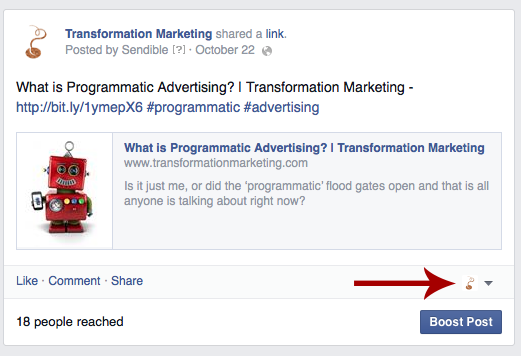
Step 3: Click the arrow and change to your personal account.
Step 4: Comment, Post or Like whatever you are wanting to show as you and not your page.
Step 5: Change who you are posting as back. (If you’re not planning on needing to post as the page, you can skip this step. If you are, we recommend that you change back so you don’t forget before you post again.)
We hope that this helps next time you’re wanting to act as yourself instead of your page on your page! As always, if you have any questions, comments or concerns, please do not hesitate to contact us at Transformation Marketing! We are happy to help in any way we can!